AURA™ DreamColor Golf Cart Underbody LED Light Kit Includes:
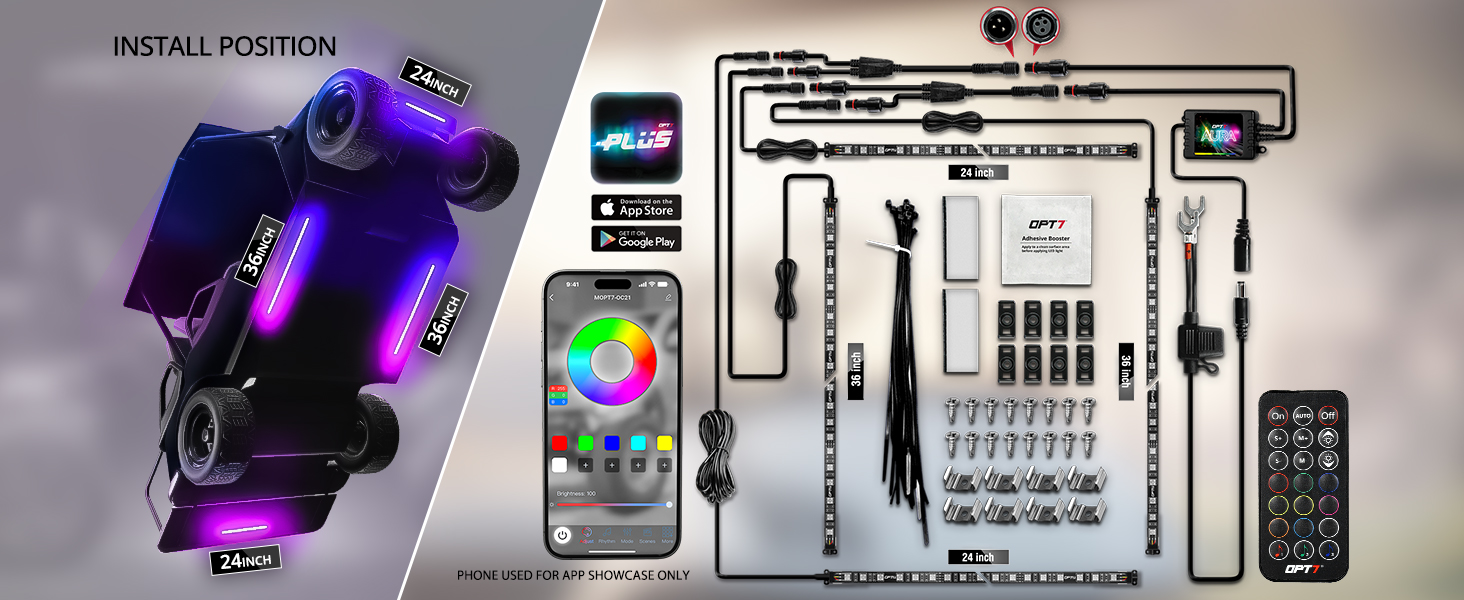
- 1 x OPT7 PLUS DreamColor Control Box with Soundsync
- 1 x 21-Key Handheld Remote
- 2 x 24" Light Strip Pre-attached with Extension Wire
- 2 x 36" Light Strip Pre-attached with Extension Wire
- 2 x Y Splitter
- 1 x 10ft Inline Fuse Hardwire Power Harness
- 1 x Pack of Mounting Kit and Zip Ties
|
Vibrant DreamColor Glow
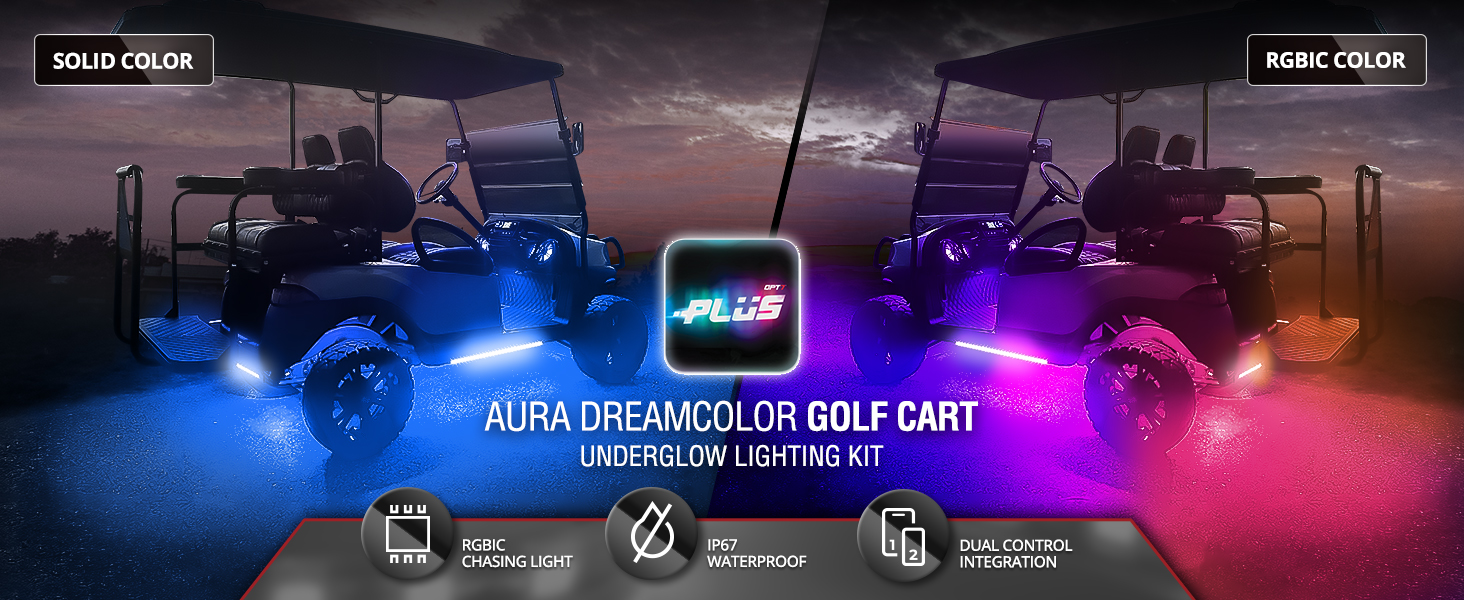
Light up your golf cart with stunning multi-color effects powered by upgraded RGB-IC 5050 LED technology. Whether you're cruising the campground at night or gliding through a sunset resort, your lighting is fully customizable. Choose from dynamic rainbow-chasing modes to solid colors using the OPT7 PLUS APP or the included wireless remote.
Durable, Waterproof & Built for Adventure
Engineered for rough terrain and outdoor environments, the AURA™ DreamColor Underbody Kit is dustproof, waterproof, and vibration-resistant. Reinforced weatherproof connectors, zip ties, and mounting brackets ensure a secure fit on any terrain. Perfectly suited for lifted golf carts like EZGO TXT, Club Car Precedent, or Yamaha models—whether you’re riding along beach paths or campsite trails.
Easy 12V Installation with Secure Fit
This complete kit includes all hardware needed for a fast, secure install. The included inline-fuse power wire connects directly to your 12V battery's positive and negative terminals for safe, reliable power without voltage overload. Designed for 12V electric and gas-powered golf carts, including Club Car DS, Yamaha Drive, and EZGO TXT. Note: For 26V–48V systems, a step-down transformer is required (not included).
Seamless Dual Control
Control your lights your way—with the OPT7 PLUS APP or the included 21-key remote.
- 21-Key Handheld Remote: Make quick adjustments without your phone. Instantly switch between 9 preset colors, 3 Sound Sync colors, 24 dynamic lighting modes, and 10 brightness levels.
- OPT7 PLUS APP: Connect via Bluetooth for advanced lighting control right from your smartphone. Explore dynamic animations, endless color options, smooth fades, strobe effects, music sync, and customizable lighting settings.
OPT7 PLUS APP — Advanced Lighting Control
Designed and developed in-house, the OPT7 PLUS APP puts advanced lighting customization right at your fingertips. With an intuitive interface and ongoing feature enhancements, you can easily create and control the look of your ride.
- Animated Light Effects: Choose from dynamic lighting animations and DreamColor effects to bring your vehicle to life.
- Unlimited Color Choices: Explore a full spectrum of colors, adjust brightness and effect speed, and save custom colors to create your own look.
- Music Sync: Sync your lights to music using your phone's microphone or supported music playback.
- Custom Scene Modes: Choose from a variety of lighting scenes to match your mood, style, or occasion.
- Multi-kit Sync: Control up to 4 OPT7 PLUS-compatible kits from a single app for a synchronized lighting experience.
- Quick Start: Scan the QR code included with your kit for app download and installation instructions.
Important Installation Notes
- Battery Life Tip: *Turn off the light kit when not in use to help conserve vehicle battery power and extend the life of your lighting system.
- 3-Pin Connector: *This kit uses a 3-pin connection and is NOT compatible with AURA 4-pin LED light kits.
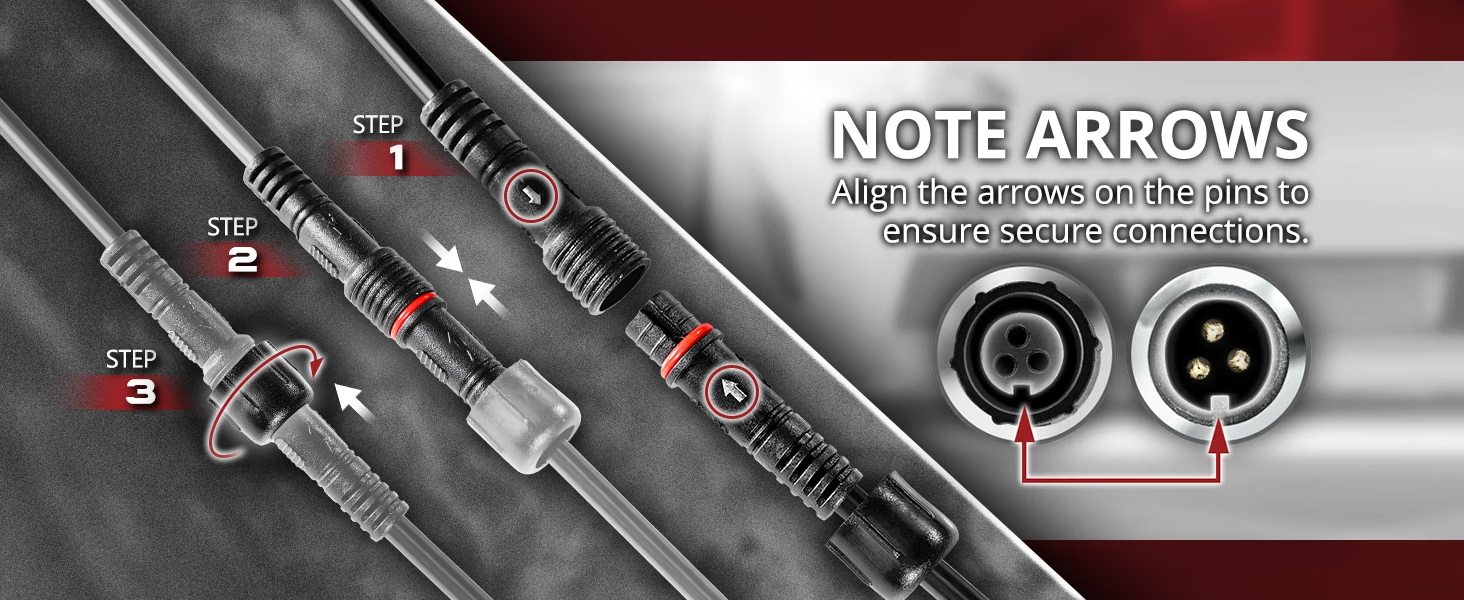
- Waterproof Connections: *Align the arrows on the connector pins before connecting. Proper alignment is essential for a secure and waterproof connection.
E-Z Programming.
Once installed, easily select the color and pattern you want with one feature-rich E-Z Remote.
- 20 Modes
- 10 Levels Speed
- 10 Levels Dimmer
- 12 Colors Selection
Automotive Adhesive Tape
Our premium strip kit features strong, high-quality binding tape.
Tips on Applying Adhesive LED Strips Securely:
1. To prep the area you wish to mount the LED strip, dampen a clean cloth in warm water, then scrub the surface to remove debris. Any grime left behind could prevent the LED strip from sticking, so thoroughly clean the surface until it’s free of dirt and scuff marks.
2. Remove any moisture left over with a clean, dry cloth or give the surface 30 minutes to air dry. Next, use the adhesive booster that we provide to wipe the area for a ready to stick surface.
3. Peel the adhesive backing from one end of the LED strip. Position the LED strip carefully on the desired surface, ensuring proper alignment. Press firmly to secure, working gradually from one end to the other. For best results, avoid repositioning the strip once it's adhered.
4. Align the arrows on the pins to ensure secure connections during installation. This step is crucial as it prevents improper installation.
Warranty Covered:
Includes our free 1 Year Warranty (starting from the order date)
Installation Guide.
AURA™ DreamColor Golf Cart with Bluetooth APP & Remote Control LED Lighting Kit Guide - Here
OPT7 PLUS Application User Guide - HERE
CA Residents:  WARNING: Cancer and Reproductive Harm - www.P65Warnings.ca.gov
|